We may receive a commission when you use our affiliate links. However, this does not impact our recommendations.
Can a woodworker—whether a hobbyist or a professional—confidently use AI as a tool for design and construction?
Most of us are already using Artificial Intelligence in small doses. It has become an effective way to polish official letters, restructure a CV, or write product descriptions. In any domain where the written word is the primary line of communication, AI is a powerhouse. Recently, however, these modules have incorporated the ability to create video, analyze photographic evidence, and derive data from scanned drawings. These tools are getting stronger by the day, and many of them are free.
The question for us is: How can they be used in woodworking?
The Experiment: Analyzing a Shaker Sideboard
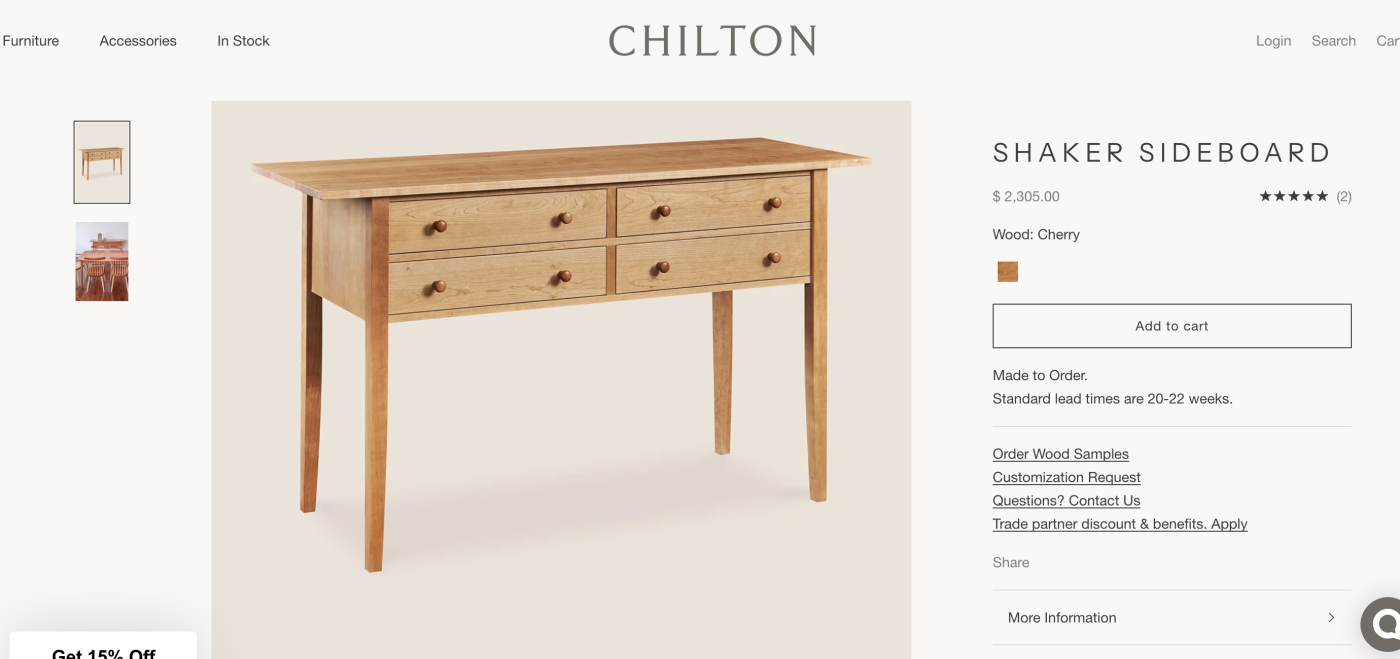
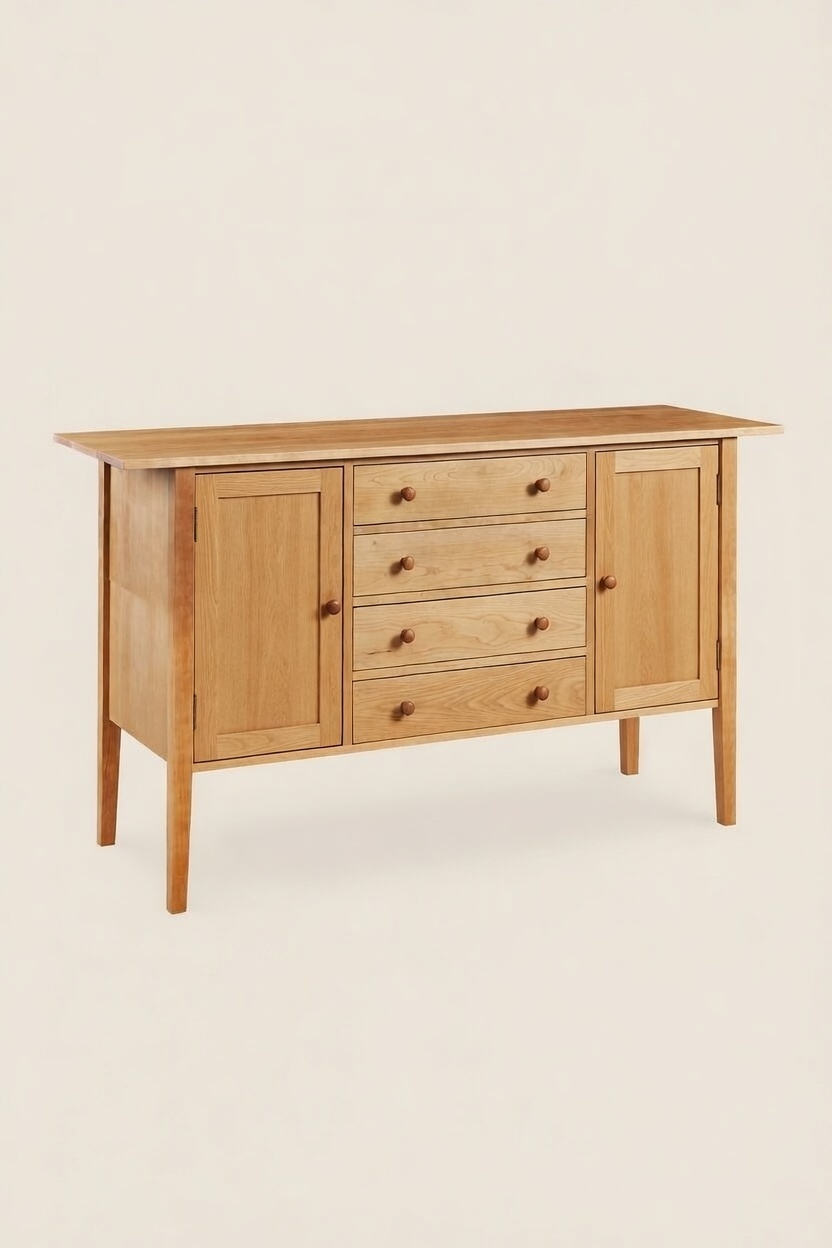
To find out, I started with a specific test. I presented several AI outlets—including Gemini, ChatGPT, and Grok—with a picture of a beautiful Shaker-style sideboard from a company called Chilton that I found during a Google search. I was curious to see if the AI could generate a three-dimensional analysis, a precise cut list, and technical drawings (front, top, side, and sectional views).
I provided the AI with the Chilton photo and the description from their website. I even added specific construction notes: the legs and top must be solid cherry, the drawer fronts must be solid cherry, and the remaining panels could be veneered plywood.
The Results: Impressive Art, Questionable Engineering
The outcomes varied significantly across the different modules, but the bottom line remains: the capability is not yet there. While AI shows an impressive analytical ability, its 3D “spatial reasoning” still results in “hallucinations” that would ruin a project.
- ChatGPT: In my assessment, this module came closest to reality in terms of aesthetics. The proportions were the most accurate, and the 3D exploded views were visually stunning. However, look closer and the engineering falls apart. There were notable errors in its understanding of basic woodworking components: for some reason, the AI placed strange square blocks in every corner of the drawer boxes and internally. Even more bizarre was the drawer construction itself—the AI rendered the back of the drawers as an exact mirror of the front, complete with a second set of knobs on the inside of the cabinet.
-
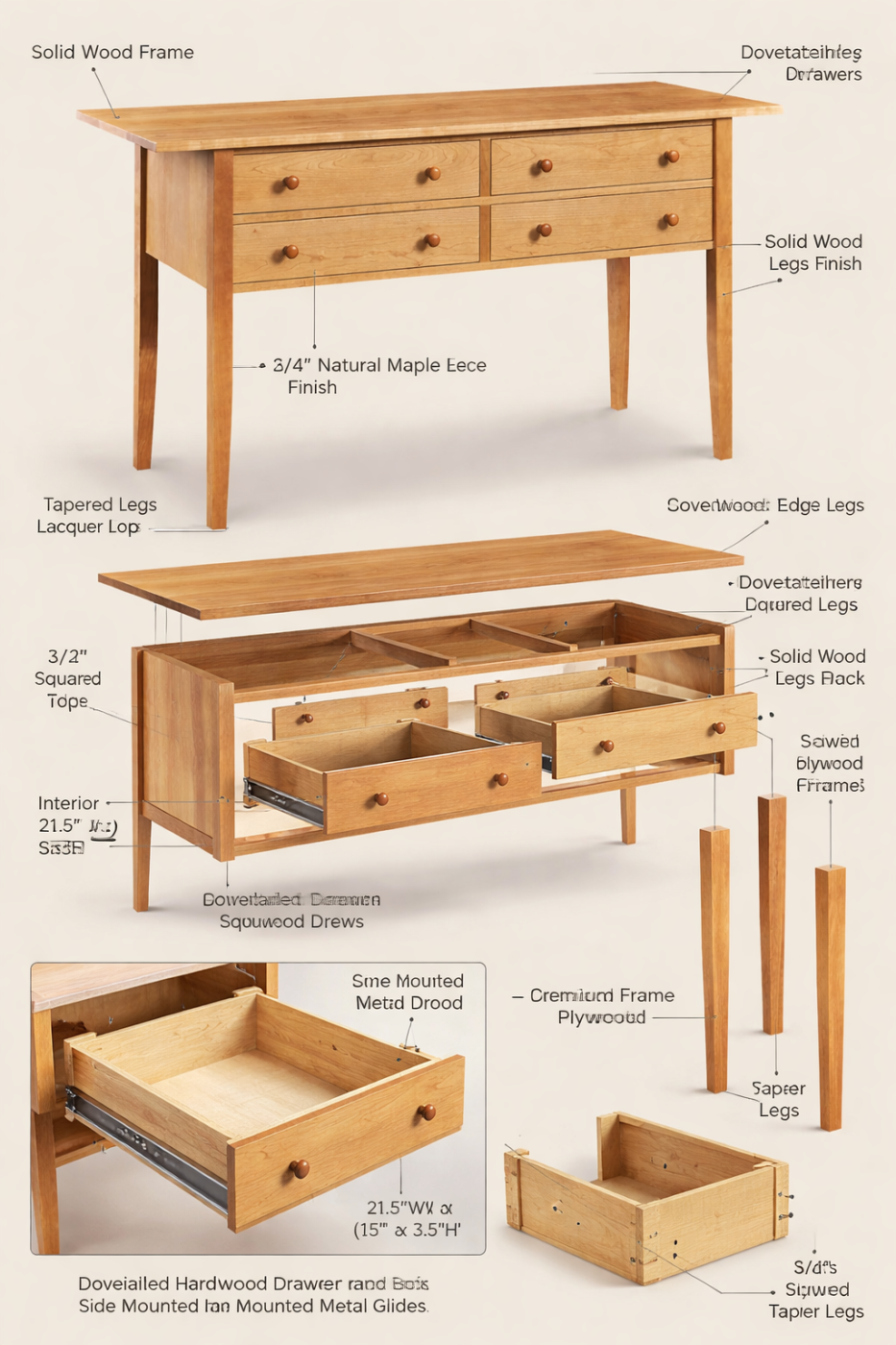
ChatGPT created the most impressive drawings, albeit riddled with mistakes.
-
- Gemini and Grok: These models struggled even more significantly. Their drawings were simplistic and veered far from the original design. For instance, in the original Chilton photo, the legs were square-sectioned for the top two-thirds of their length, with a taper only in the final lower third. The AI ignored this, tapering the legs completely from the moment they left the drawer unit. Furthermore, the AI “invented” an arched rail to support the drawer unit, whereas the original featured a clean, flat, straight line.
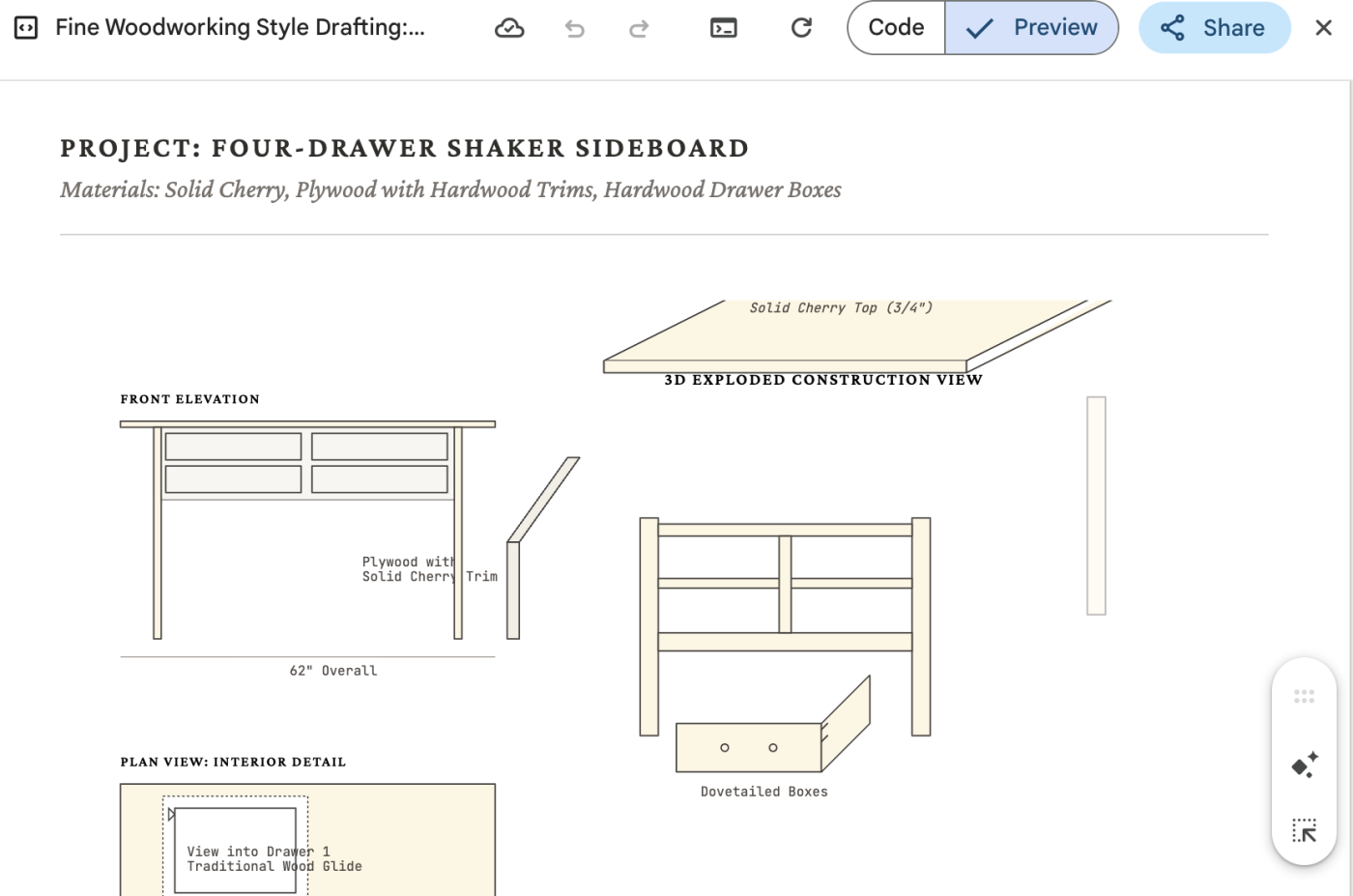
- Gemini was the most rudimentary of all the AIs I tried and the one that will have to go a long way before we can rely on it for technical help.
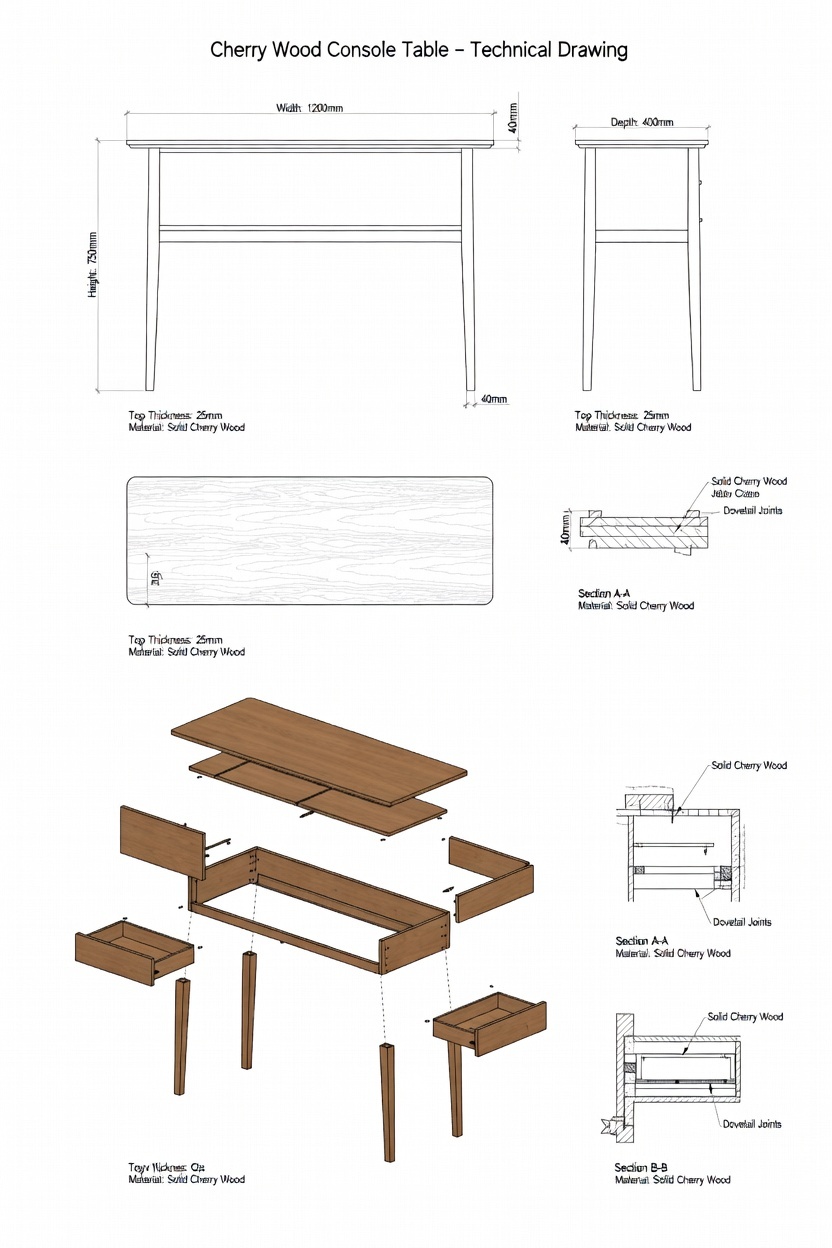
- The GROK file was the 2nd best, but it too was showing a strange misunderstanding of proper woodworking techniques.
The “Time of Day” Factor
One fascinating observation I made during this testing is that AI capability seems to fluctuate. While I can’t say it with absolute certainty, the accuracy of the computation appears to change depending on how overloaded the servers are. When the system is busy with millions of other users, the “thinking” seems more rushed, resulting in more errors than when the AI has more “free time” to process complex 3D logic.
A New Frontier: AI as a Design Assistant
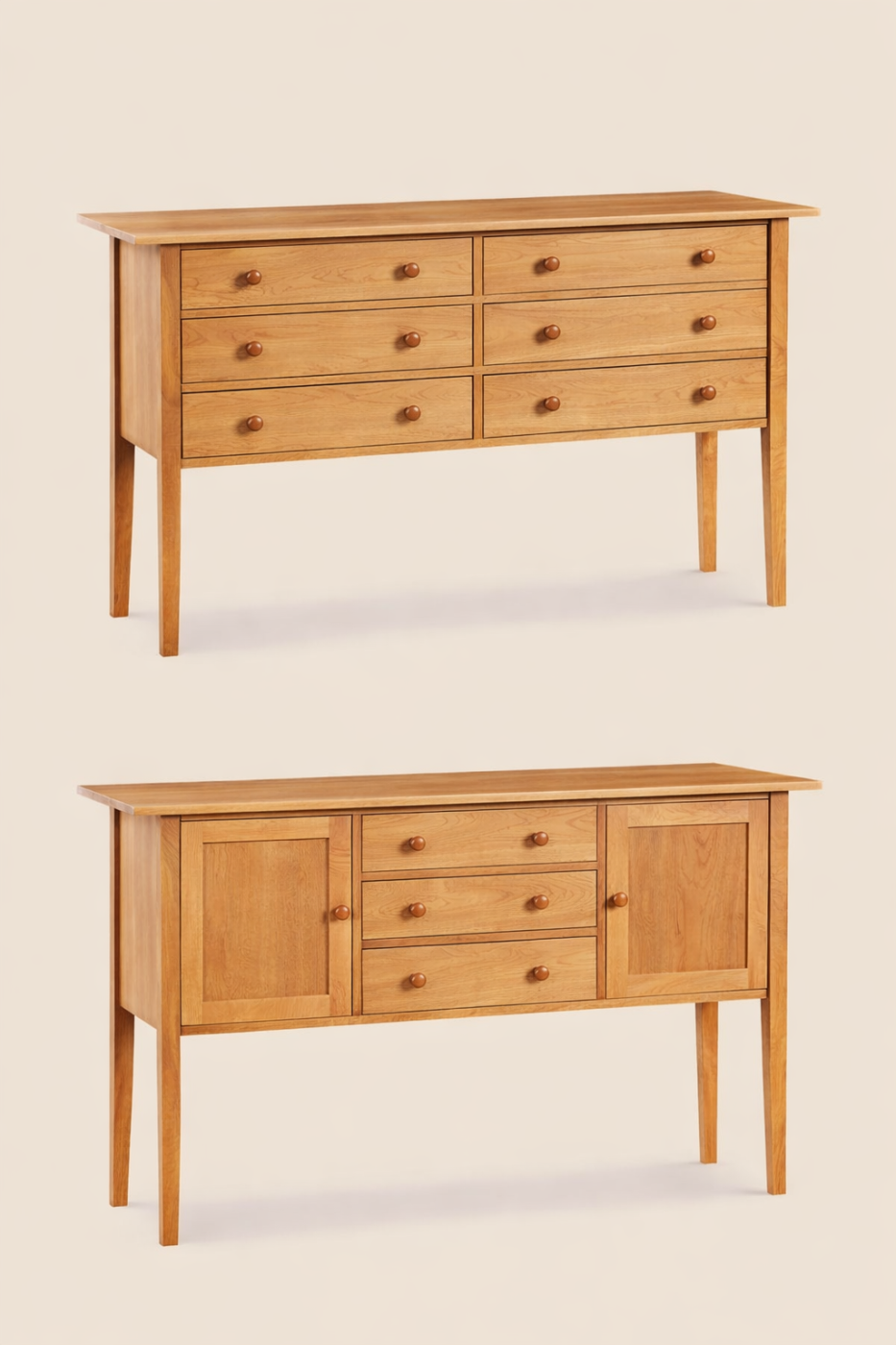
There is, however, one aspect of AI’s three-dimensional capability that woodworkers should definitely explore: creating alternative designs from an original photo or sketch. While the technical joinery is a failure, the “aesthetic iteration” is surprisingly strong.
In my testing, Gemini handled this request impressively on the first try. I didn’t need to tweak the design at all to get high-quality alternatives—it successfully added the third row of drawers and created the door-and-drawer combination seamlessly. Grok, by comparison, required more effort. I had to struggle with the prompts and ask it twice to tweak its output. At one point, instead of the six drawers I requested, it produced an eight-drawer unit and then tried to force the doors onto that erroneous structure.
Despite these growing pains, this design capability is something woodworkers can use right now to collaborate with clients. Imagine a client brings you a photo of a dining table they love and asks for a matching sideboard. As a designer, you can upload the table photo and a separate sideboard silhouette, then ask the AI to “render this sideboard in the style of this table.” This stylistic “translation” is an available and powerful tool for the modern shop.
Here you can see the three options side-by-side: the original four-drawer Shaker sideboard (top left), a version with a third row of drawers added (top right), and a variation with two central drawers and two doors (bottom).
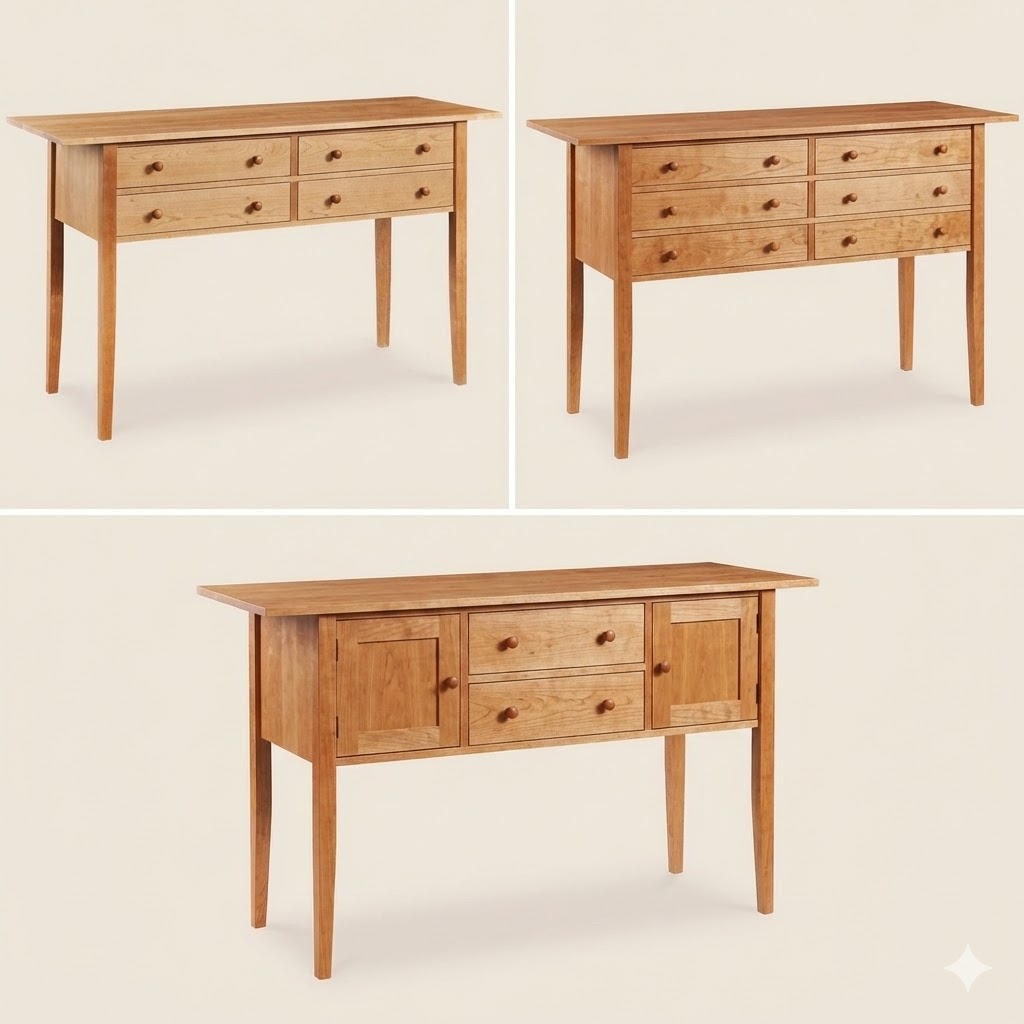
- The Gemini design engine was the most impressive.

- Grok did a decent job, too, although it took more artistic liberty than I intended to and added two additional drawers.
The Verdict (For Now)
We are standing on a frontier. AI is doing a remarkable job of learning to analyze three-dimensional structures, and these tools will undoubtedly become more accurate. But for today, we still cannot rely on them for cut lists or structural joinery. The AI understands what the piece should look like, but it doesn’t yet understand the physics of how it stands up.
Keep your tape measure and your drafting pencil handy—the human eye is still the most precise tool in the shop. But for design inspiration, don’t hesitate to ask your digital apprentice for a few new ideas.
Next time, I’ll discuss how AI can help us around the shop in ways you might not expect. Stay tuned.